Near Duplicates and Clusters
Near duplicates are documents that are not exact duplicates but have sufficient similar text to relate them as nearly a duplicate. They might be drafts of the same document, or a filled-in version of a form, or reports with the same base content and some updates.
Clusters are documents that relate to a similar concept.
Create Near Duplicates and Clusters
Navigate to the Create pane and select Clusters/Near-Dups.
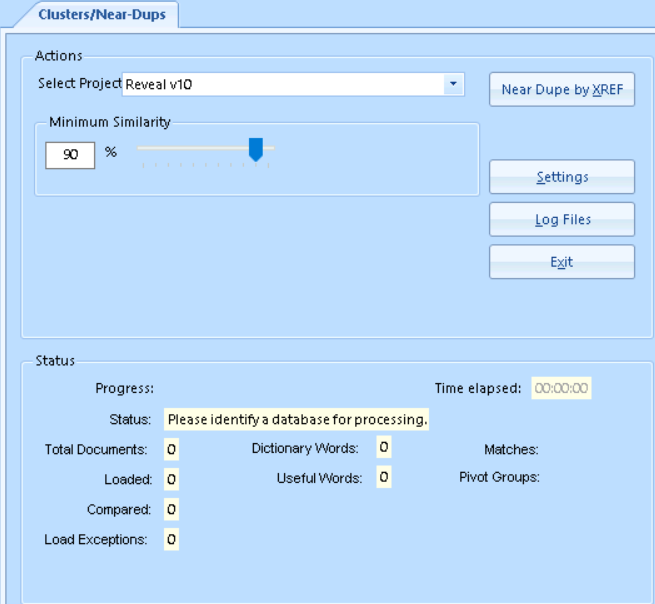
Select Project from the dropdown field.
Use the slider to set the Minimum Similarity for Near Duplicates; default is 80% similarity.
You must run Near Duplicates before running Clustering as they are related to each other.
Use the Settings button to select additional options; most of these are fairly esoteric and to be changed in consultation with Reveal Support.
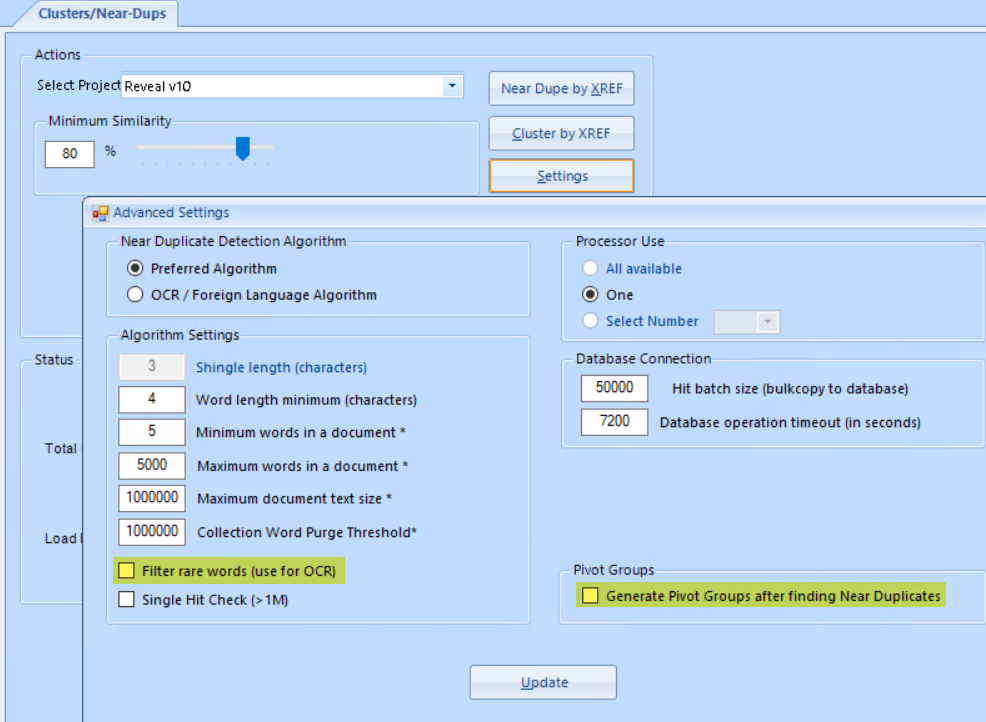
Filter Rare Words - Filtering rare words is an option to speed processing. It ignores words that appear in less than 1/2 percent of the collection. This option is useful for collections of mixed languages or with high quantities of alphanumeric words like serial numbers.
Pivot Groups can be useful in analyzing the near duplicate records in your project. Checking Generate Pivot Groups after finding Near Duplicates creates a cross-reference table for calling up groups of documents having near duplicates.
Once options are chosen click Update to return to the main Cluster/Near-Dup screen.
Select Near Dupe by XREF to run the Near Duplication identification.
Select Cluster by XREF to run the Clustering identification.
See Reports: Near Duplicates for information about exporting Near Duplicate reports, and Related Items – Families, Duplicates, Near Duplicates, Email Threads or Custom Relational Fields to see how Near Duplicates can be used in the Document Review screen.